SharePoint Search Filter Limitations for Created By
I was recently asked why a business user could not find their own name in a custom Created By filter within a SharePoint search vertical.
At first glance this looks incorrect, especially when the user knows they have documents in the result set. However, this behaviour can be explained by how Microsoft Search custom filters are populated and limited.
In this case, the custom filter was configured to display the author.
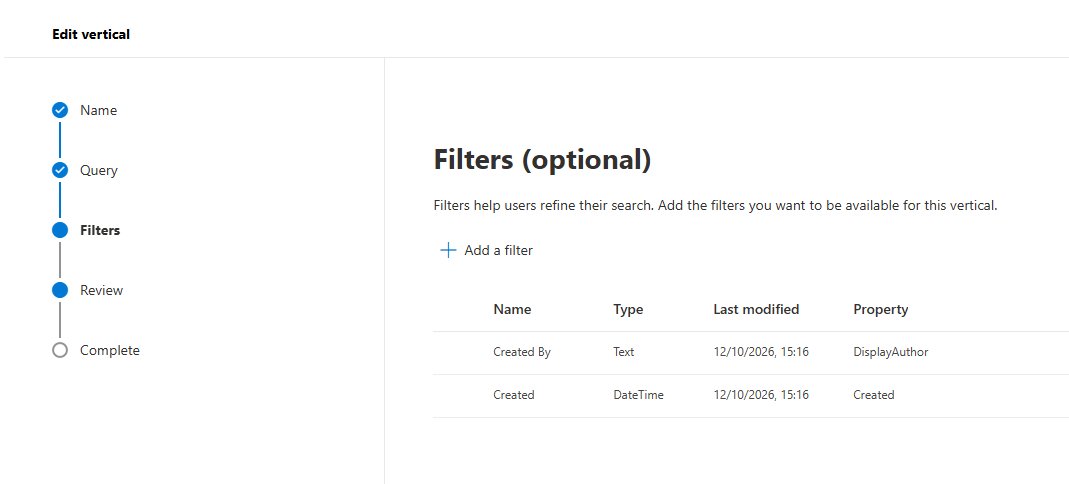
Why a user might not appear in the Created By filter
There are several reasons why a user might not appear in this filter.
The filter is populated from the values present in the search results. If none of the returned documents are authored by that user, their name will not appear.
The
Created Byfilter can depend on the author metadata stored in the Office document itself rather than only the author shown in the SharePoint library. If the document metadata does not contain the expected author, the filter value may not match what users see in the library columns.Microsoft Search custom filters display a maximum of 50 values. For text-based refiners, those values are ordered by occurrence frequency, with the most common values shown first. They are not chosen based on the ranking position of individual results. This means a user’s document can appear in the results, while their name still does not appear in the filter if it falls outside the top 50 most frequent values.
The 50-value limit
There is a maximum of 50 values per custom filter. Microsoft documents this behaviour here: Manage filters.
This limitation is important because it means the filter does not necessarily provide a complete list of all authors present in the result set.
Possible alternatives
If users need to search for a specific author who does not appear in the filter, one option is to use KQL directly against the relevant managed property.
For example:
DisplayAuthor:<name of user>
Another option is to narrow the query so that fewer results are returned. Reducing the result set can make it more likely that the required author appears within the 50 available filter values.
Conclusion
If a user cannot see their name in a Created By custom filter, it does not always mean the filter is broken. The most common explanations are that the user is not represented in the returned results, the document author metadata does not match expectations, or the value falls outside the 50-value limit for Microsoft Search custom filters.
When this happens, it is worth checking the underlying document metadata and, if necessary, using KQL to search directly for the author instead of relying only on the filter.
References
Manage filters Query refinement in SharePoint