SharePoint Hero Links: What admins/adoption teams need to know?
Microsoft’s third-generation sharing experience, Hero Links, introduces a simpler way to manage file-sharing access, with a stronger emphasis on secure defaults and granular permissions. The main administrative point is that Hero Links and legacy sharing links do not follow the same policy behavior.
The immediate questions for administrators:
- What happens to existing sharing links during rollout?
- Can old links be migrated into Hero Links?
- How should both experiences be managed in parallel?
The immediate questions for end user experience:
- Can site members edit the hero link?
- How does links with expiration dates work?
- Are access granted to the hero link or directly to the file?
- What’s the Copy link behaviour?
How the new sharing experience differs
Hero link is available by default to all files/folders and controls access to file or folder alleviating the need to create a new link to change permissions except if a link with expiration date is required.
| Area | Hero Links |
|---|---|
| Default access | Only People Added & can view |
| Broader access | Can be expanded to the permitted audience, subject to policy |
| Permissions | Granular controls such as view-only and, where supported, blocking downloads |
| Multiple links | Additional sharing links can still be created |
| Expiration | Additional links can have an expiration date |
| Site-level configuration | DefaultMainLinkScope controls the default scope for Hero Links |
The security objective is to make restricted sharing the starting point, instead of unintentionally creating a link that exposes content to a broader audience unlike legacy links.
Answers to the main admin/user experience questions
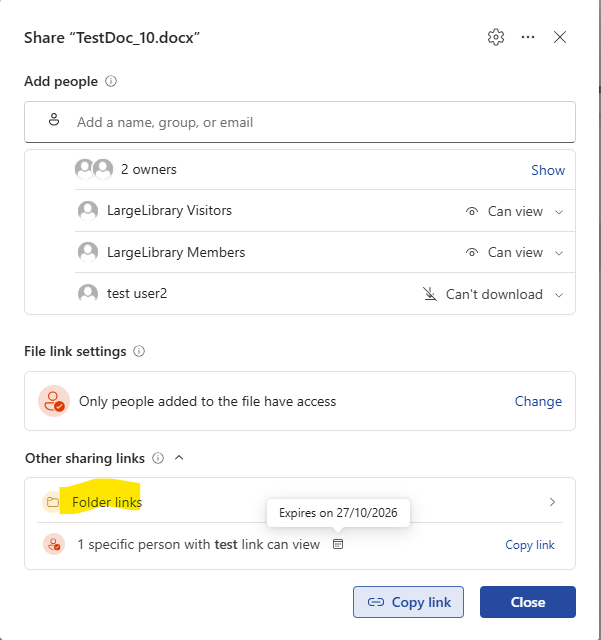
Will links created in the old experience still be visible?
Yes. Existing sharing links appear under Other links in the new sharing dialog. They are not automatically replaced by the Hero Link.
Can legacy links be migrated into Hero Links?
There is no documented automatic migration path in the rollout announcement. The new experience introduces a primary link that can be updated, while legacy links remain separately available. Administrators should treat migration as undocumented rather than assuming that existing links can be converted in place.
Will legacy sharing links continue to work?
Yes. Existing links continue to work under their current access arrangements unless something else invalidates them, such as expiration, revoked permissions, or changes to access on the underlying content. Legacy links remain subject to the applicable legacy sharing policies.
Copy link
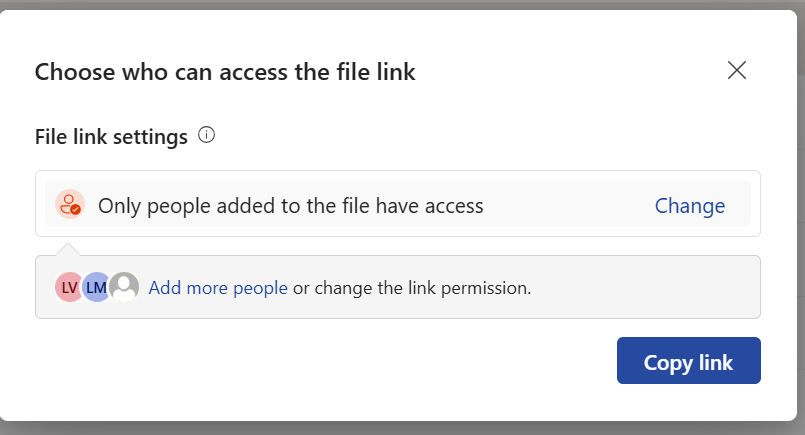
The copy link defaults to ‘Only people added’ with option to broaden access.
Link with expiration dates
It’s separate from the hero link and works similar to legacy links with expiration date.
What’s the hero Link format
The Copy link is not the path to the file but rather to a sharing link with the format. The hero link grants access to the file via a link and not direct access to the file https://reshmeeauckloo.sharepoint.com/:w:/s/LargeLibrary/cQrMox8l_KQOTZjLq-zEIHFXEgUCxYi1q2rDdFFAh_HKOGBaUA
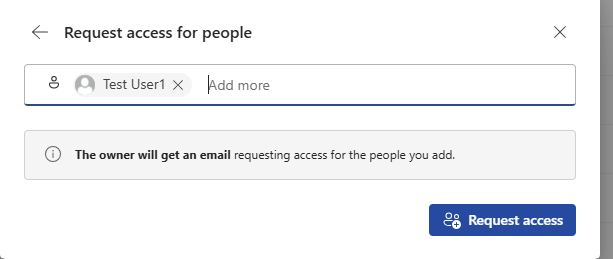
Can a site member able to edit the hero link
Visitor of a site need to request access from an owner to grant access to file or folder and is unable to edit the hero link if has only read only access.
If members are allowed to share files or folders, they can add users but unable to edit membership
Members sharing is enabled
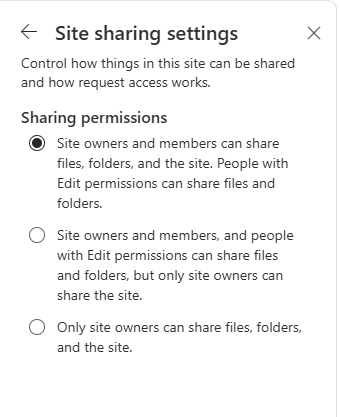
Members are unable to edit membership of the hero link
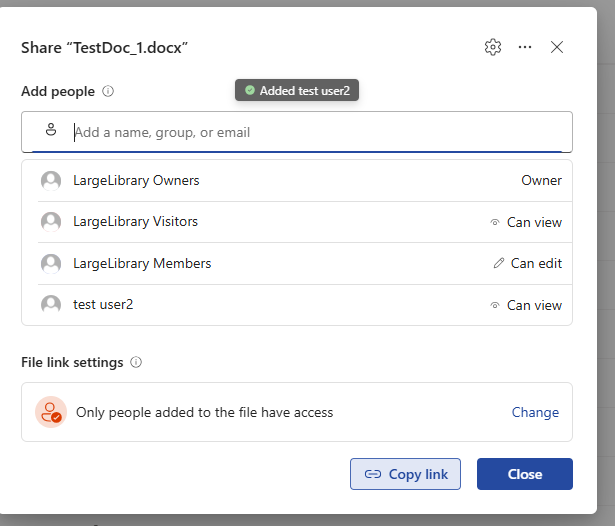
Permissions are granted direct to file/folder or via link
Permissions are synced from hero link to file permissions but hero link is still an addtional layer to update permissions.
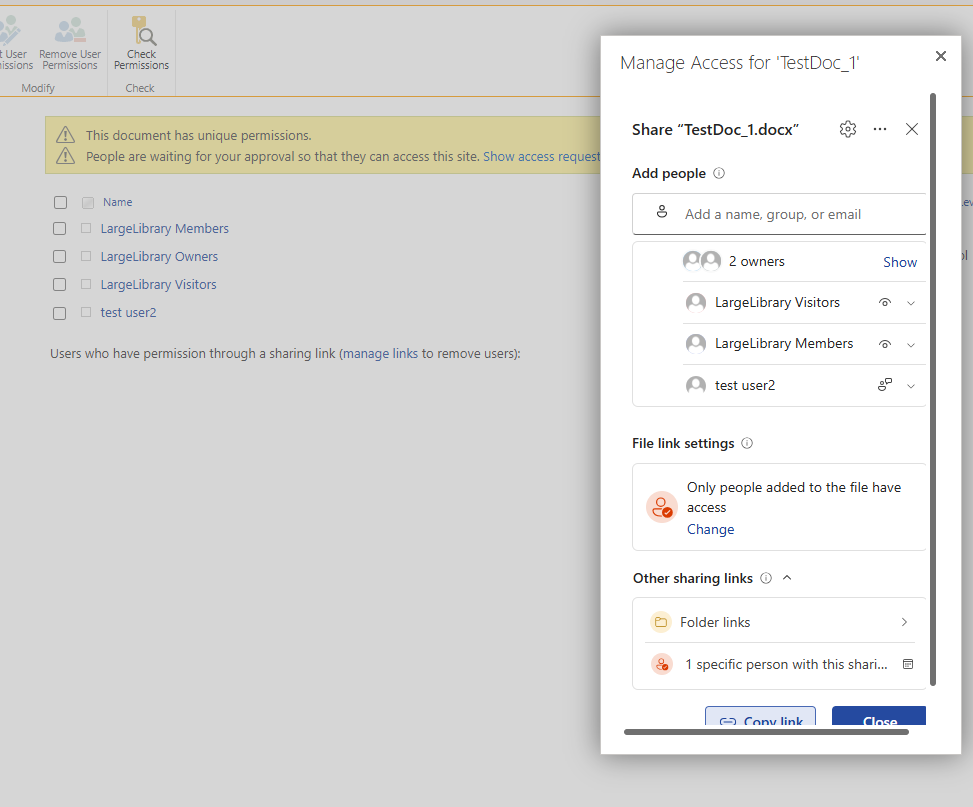
What DefaultMainLinkScope means for administrators
Microsoft’s SharePoint Online PowerShell documentation describes DefaultMainLinkScope as the default audience for main sharing links.
| Value | Behaviour |
|---|---|
OnlyPeopleAdded | Default. The link does not grant access beyond people who already have access. |
Organization | The link can grant access to people within the organisation, subject to applicable policies. |
The key distinction is that this is a default, not necessarily an enforced restriction. The parameter selects the initial audience, but it does not by itself stop users from broadening access where organisational policy allows it. Based on the current announcement, there is no equivalent tenant-wide Hero Link audience setting.
The default is set to ‘Only People Added’ with ‘can view’
Example: configure the default on a site
SharePoint PowerShell
Connect-SPOService -Url https://contoso-admin.sharepoint.com

# Set the Hero Link default to restricted access
Set-SPOSite `
	-Identity "https://contoso.sharepoint.com/sites/Projects" `
	-DefaultMainLinkScope OnlyPeopleAdded

# Verify the setting
Get-SPOSite `
	-Identity "https://contoso.sharepoint.com/sites/Projects" |
	Select-Object Url, DefaultMainLinkScope
PnP PowerShell
Connect-PnPOnline -Url https://contoso-admin.sharepoint.com -Client $client

# Set the Hero Link default to restricted access
Set-PnPTenantSite `
	-Identity "https://contoso.sharepoint.com/sites/Projects" `
	-DefaultMainLinkScope OnlyPeopleAdded

# Verify the setting
Get-PnPTenantSite `
	-Identity "https://contoso.sharepoint.com/sites/Projects" |
	Select-Object Url, DefaultMainLinkScope
Replace the sample tenant and site URLs with your own values. Because the setting is site-specific, you should plan how to apply and validate the appropriate defaults across your sites.
See the official Microsoft Learn documentation for Set-SPOSite.
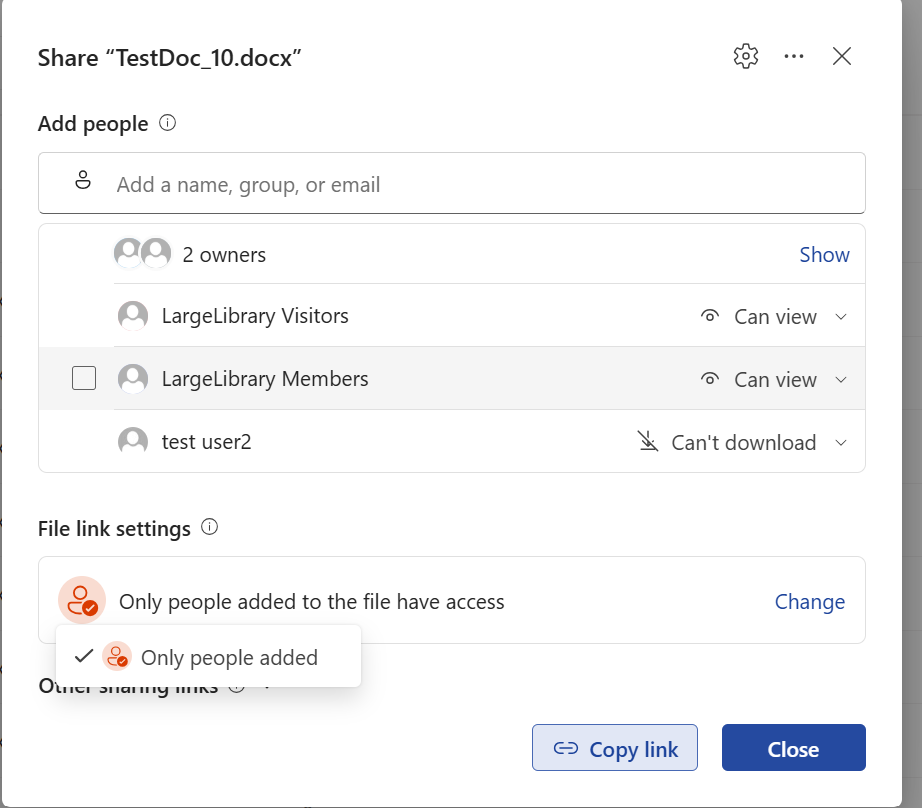
Respect org’s policy
If sharing with external users is turned off on the site, then hero link won’t be share with external users
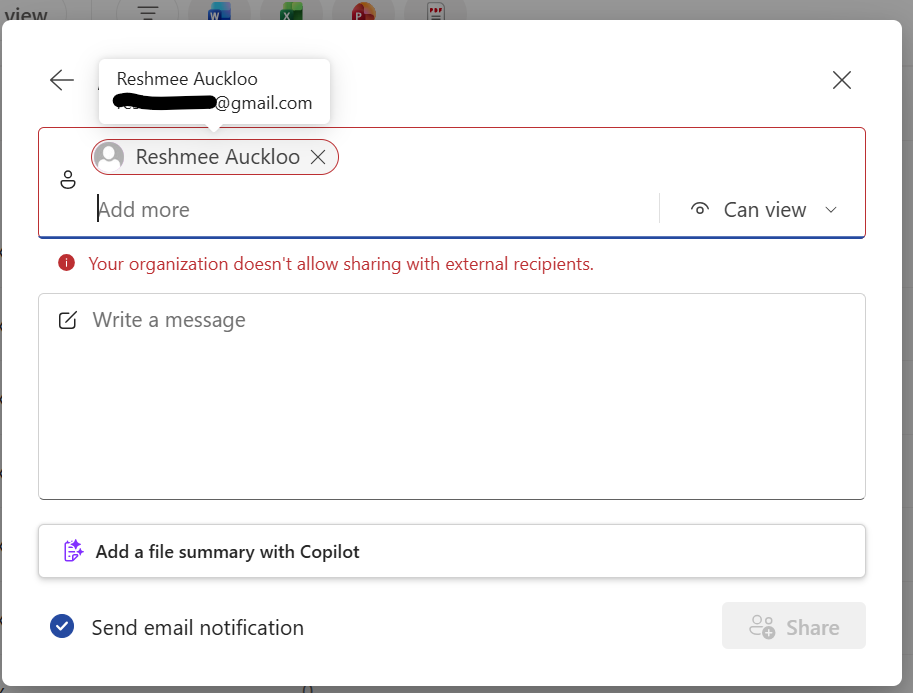
If company wide sharing is enabled
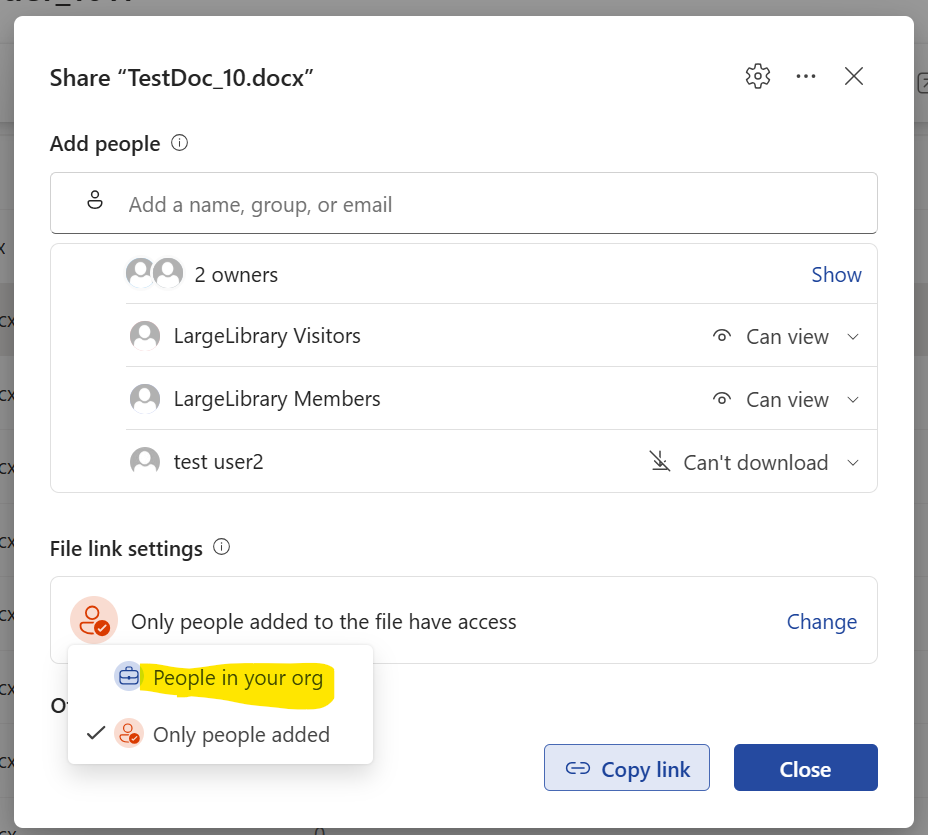
After disabling company wide sharing
Set-PnPTenantSite -Identity "https://reshmeeauckloo.sharepoint.com/sites/LargeLibrary" -DisableCompanyWideSharingLinks "disabled"
The policy gap: expiration and permissions
This is the area that matters most for security and compliance teams.
| Control | Hero Links | Legacy links |
|---|---|---|
| Default audience | DefaultMainLinkScope | Existing sharing-link defaults |
| Link expiration | Existing expiration policies do not govern Hero Links | Existing expiration policies continue to apply |
| Access changes | Primary link audience can be updated | Existing links retain their own sharing arrangements |
| Permissions | Granular controls supported by the experience | Governed by their existing configuration and applicable policies |
Microsoft’s rollout announcement explicitly states that existing default sharing link settings and link expiration policies continue to apply to legacy links, but do not govern Hero Links.
That means administrators should not assume that an existing tenant or site expiration policy automatically imposes an expiry date on the primary Hero Link.
This is especially important in organisations with strict external-sharing, data-retention, or contractual access requirements.
Bottom line
Hero Links simplify the end-user sharing experience, but they do not remove the need to manage legacy sharing links. Legacy links remain accessible and continue working, and automatic migration into Hero Links is not documented. Most importantly, existing expiration policies do not govern Hero Links, so administrators need to assess that gap separately from their default audience settings.