SharePoint auto-trimming and retention label behavior
I tested SharePoint auto-trimming behavior against files with and without retention labels. The results show that files without a retention label are trimmed as expected, while files with a retention label behave more like retention policy items and keep versions longer.
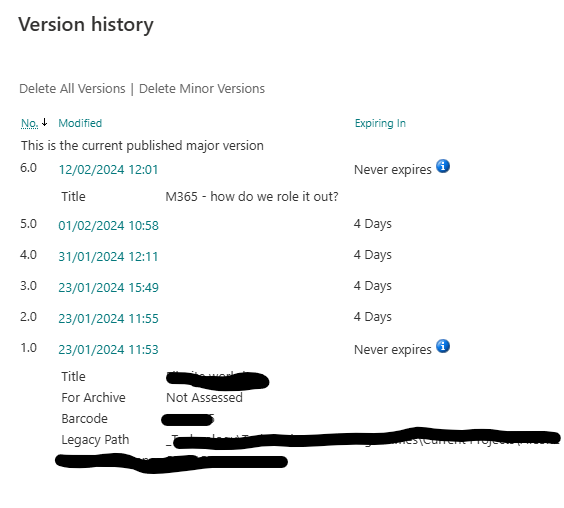
For non-retention-label files, SharePoint trims old versions once the version count grows. Auto-trimming bypasses the recycle bin and removes older minor/major versions.
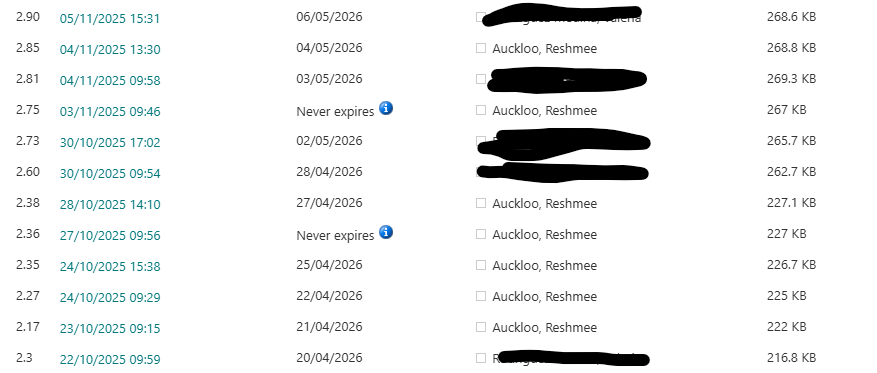
However, files with retention labels appear to retain versions instead of trimming them. The version expiry date is extended instead of deleting expired versions.
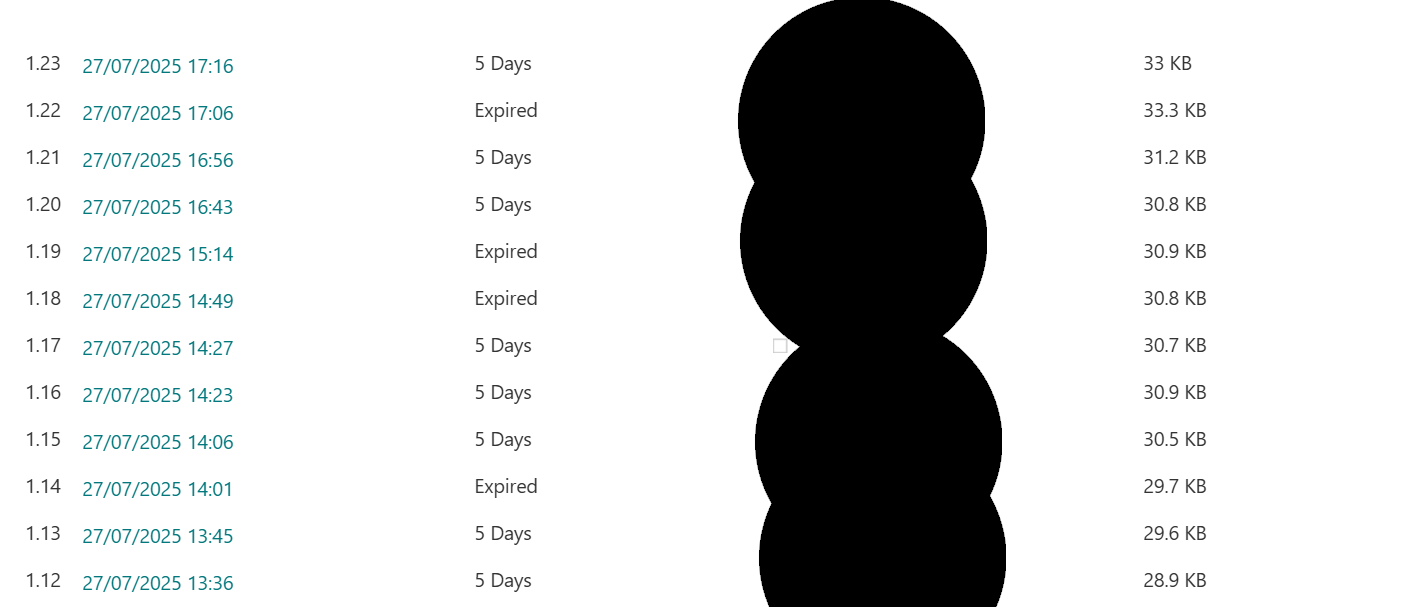
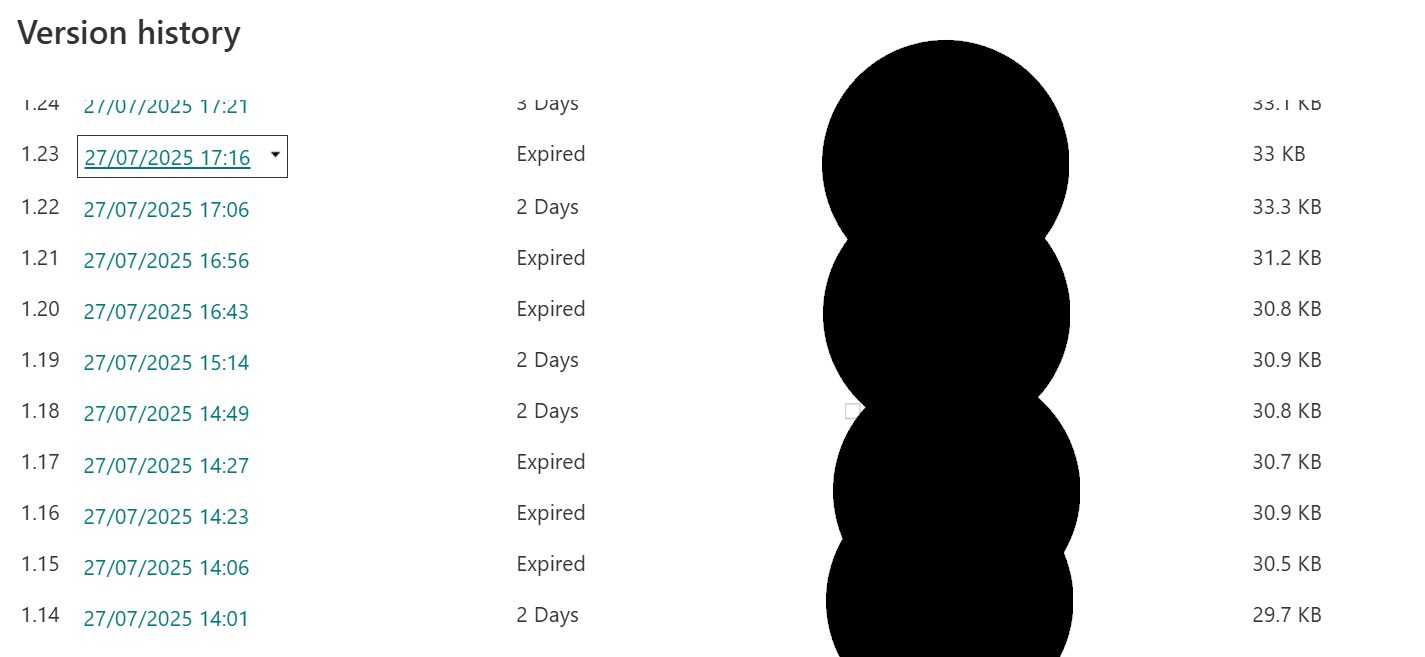
This behavior seems to diverge from published documentation, and Microsoft support confirmed the behaviour is different in this scenario.
What I observed
- SharePoint auto-trimming works for files without retention labels.
- Retention-labeled files do not have major or minor versions deleted as expected.
- Expired versions are marked as expired, but the expiry date is often extended.
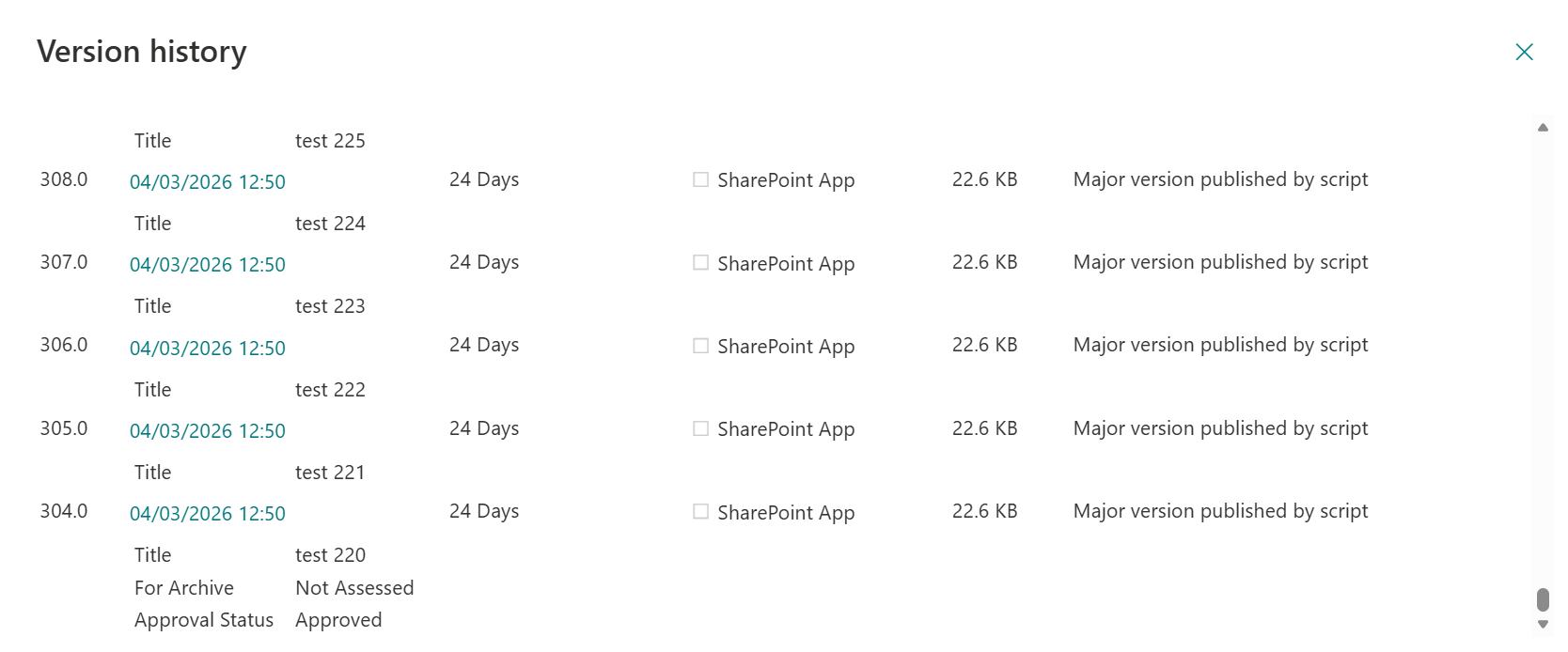
- Intelligent Versioning can allow major versions to exceed the 500-version threshold.
Important links
- Intelligent versioning and the 500 version limit
- Intelligent Versioning & Retention: Where do Versions Go?
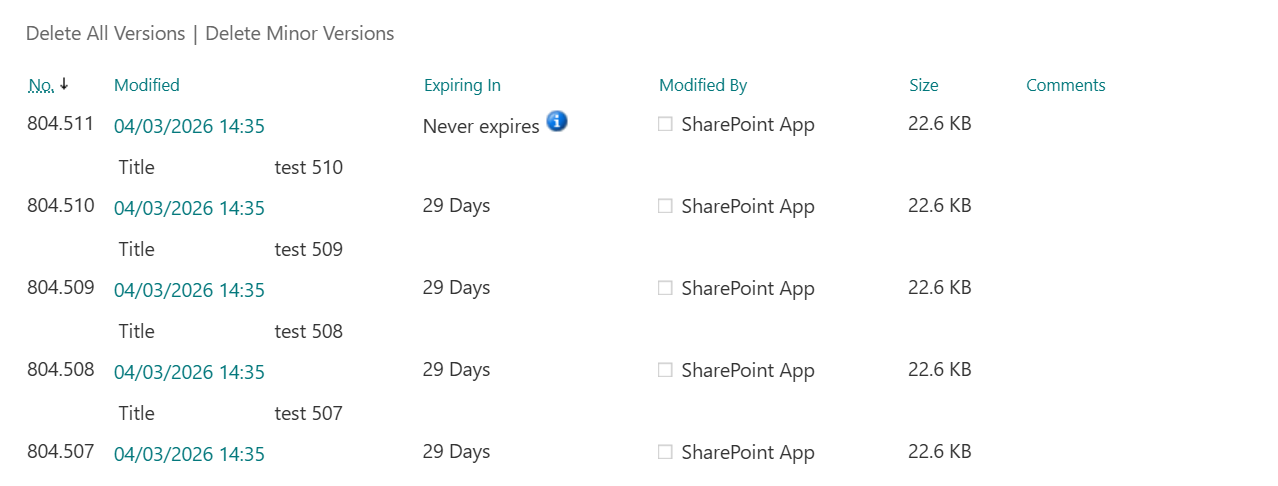
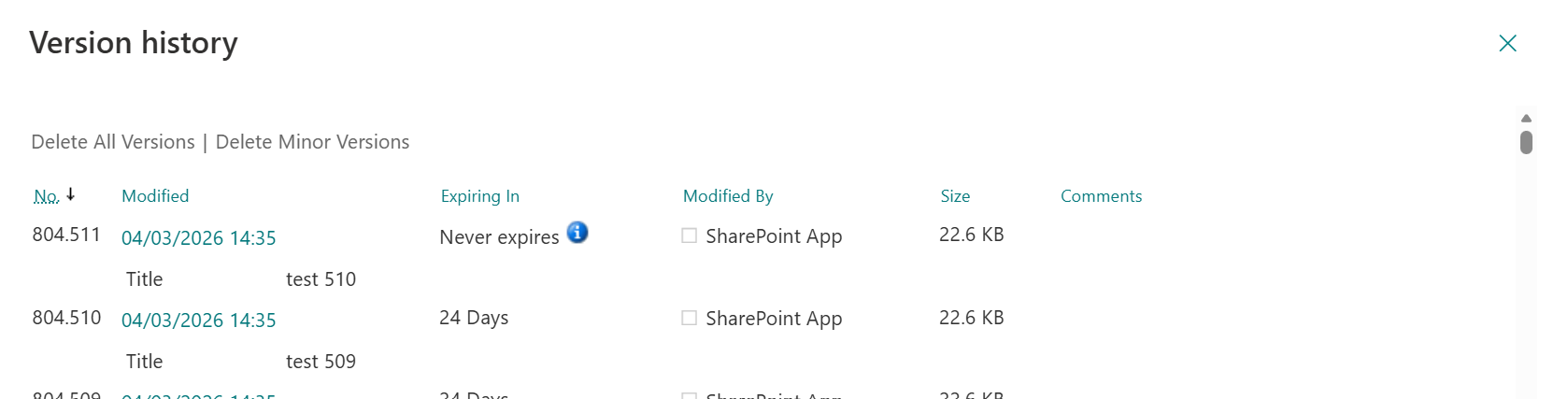
Minor versions have a separate limit, with a maximum threshold of 511. That means minor version counts can climb quickly in libraries where users do not publish major versions often.
Test script
The following PowerShell script was used to reproduce the behavior by creating many title updates and publishing major versions.
# ===== Settings =====
$clientId  = "xxxxxx-xxxxx"
$dateTime  = Get-Date -Format "yyyy-MM-dd-HH-mm-ss"
$CertPath  = Read-Host "Please enter Certificate (.PFX) Path"
$CertPassword = Read-Host "Please enter Certificate Password" -AsSecureString
$Org = "contoso.onmicrosoft.com"

$fileUrl = "https://contoso.sharepoint.com/sites/testsite/testlibrary/test_resh_retentionlabel.docx"

$invocation    = Get-Variable -Name MyInvocation -ValueOnly
$directoryPath = Split-Path $invocation.MyCommand.Path

# Create log header
"Timestamp,Message,Status" | Out-File -FilePath $logFile -Encoding utf8

function Get-LibraryNameFromFileUrl {
    param([string]$fileUrl, [string]$siteUrl)

    $relative = $fileUrl.Replace($siteUrl, "")
    if ($relative.StartsWith("/")) {
        $relative = $relative.Substring(1)
    }

    return $relative.Split("/")[0]
}

function Get-WebUrlFromFileUrl {
    param([string]$fileUrl)

    $u = [System.Uri]$fileUrl
    $segments = $u.AbsolutePath.Trim('/').Split('/')

    if ($segments.Length -ge 2 -and ($segments[0] -ieq 'sites' -or $segments[0] -ieq 'teams')) {
        return "$($u.Scheme)://$($u.Host)/$($segments[0])/$($segments[1])"
    }
    else {
        return "$($u.Scheme)://$($u.Host)"
    }
}

function Invoke-WithRetry {
    param(
        [Parameter(Mandatory=$true)][ScriptBlock]$Operation,
        [int]$MaxRetries = 8,
        [int]$BaseDelaySeconds = 2,
        [string]$Context = ""
    )

    for ($attempt = 1; $attempt -le $MaxRetries; $attempt++) {
        try {
            return & $Operation
        }
        catch {
            $msg = $_.Exception.Message
            $transient = ($msg -match '429' -or $msg -match 'throttl' -or $msg -match '5\d\d' -or $msg -match 'temporar' -or $msg -match 'timeout')

            if ($attempt -lt $MaxRetries) {
                $delay = [Math]::Pow(2, $attempt - 1) * ($transient ? $BaseDelaySeconds : 1)
                Write-Host "Attempt $attempt failed ($Context): $msg. Retrying in $delay sec..." "Info"
                Start-Sleep -Seconds $delay
            }
            else {
                Write-Host "Operation failed after $MaxRetries attempts ($Context): $msg" "Error"
                throw
            }
        }
    }
}

try {
    $webUrl = Get-WebUrlFromFileUrl -fileUrl $fileUrl
    Write-Host "Connecting to site: $webUrl" "Info"

    Connect-PnPOnline -Url $webUrl `
                      -ClientId $clientId `
                      -Tenant $Org `
                      -CertificatePath $CertPath `
                      -CertificatePassword $CertPassword

    $web = Invoke-WithRetry -Context "Get-PnPWeb" -Operation { Get-PnPWeb }
    Write-Host "Connected to web: $($web.Title)" -ForegroundColor Green
}
catch {
    Write-Host "PnP connection failed: $_" -ForegroundColor Red
    exit 1
}

$serverRelativeUrl = ([System.Uri]$fileUrl).AbsolutePath
if (-not $serverRelativeUrl) {
    Write-Host "Could not resolve server-relative URL from fileUrl: $fileUrl" -ForegroundColor Red
    exit 1
}

try {
    $listItem = Invoke-WithRetry -Context "Get-PnPFile -AsListItem" -Operation {
        Get-PnPFile -Url $serverRelativeUrl -AsListItem -ErrorAction Stop
    }
    $file = Invoke-WithRetry -Context "Get-PnPFile -As file" -Operation {
        Get-PnPFile -Url $serverRelativeUrl -ErrorAction Stop
    }
    if (-not $listItem -or -not $listItem.Id) {
        throw "List item not found for $serverRelativeUrl"
    }
    Write-Host "Located file item Id=$($listItem.Id)" -ForegroundColor Green
}
catch {
    Write-Host "The file/list item was not found: $serverRelativeUrl. $_" -ForegroundColor Red
    exit 1
}

$list = Get-LibraryNameFromFileUrl -fileUrl $fileUrl -siteUrl $webUrl
for ($j = 1; $j -le 3; $j++) {
    try {
        for ($i = 1; $i -le 511; $i++) {
            $newTitle = "test $i"
            Write-Host "[$i/550] Setting Title='$newTitle'" -ForegroundColor Green

            Invoke-WithRetry -Context "Set-PnPListItem (Title=$newTitle)" -Operation {
                Set-PnPListItem -List $list `
                                -Identity $listItem.Id `
                                -Values @{ "Title" = $newTitle } `
                                -ErrorAction Stop
            }
        }

        Invoke-WithRetry -Context "Set-PnPFileCheckedIn (Major)" -Operation {
            $file.Publish("Major version published by script")
            $file.Update()
            Invoke-PnPQuery
        }

        Write-Host "Updated Title and published major version (Title='$newTitle')" -ForegroundColor Green
    }
    catch {
        Write-Host "Error at iteration $i (Title='$newTitle'): $_" -ForegroundColor Red
        continue
    }
}

Write-Host "Completed Title updates from 'test 1' to 'test 550' with major versions." -ForegroundColor Green
Outcome
Minor versions up to 511
Major versions up to 500
Error creating more than 511
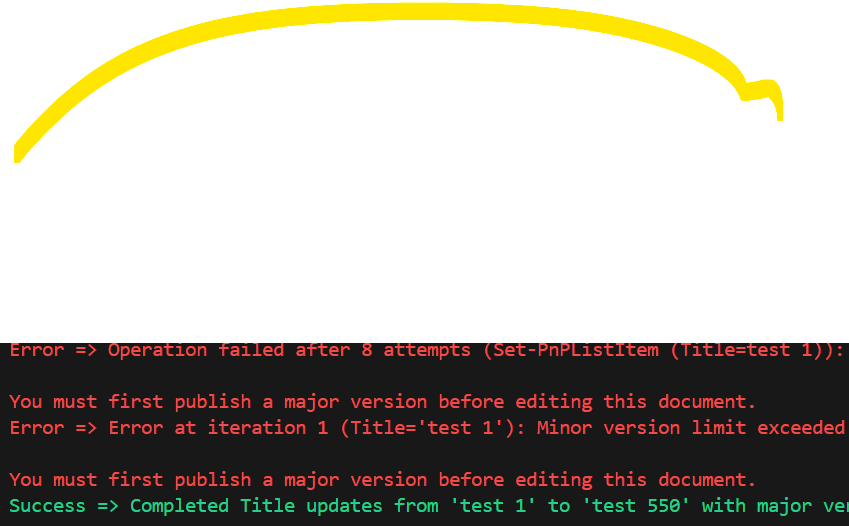
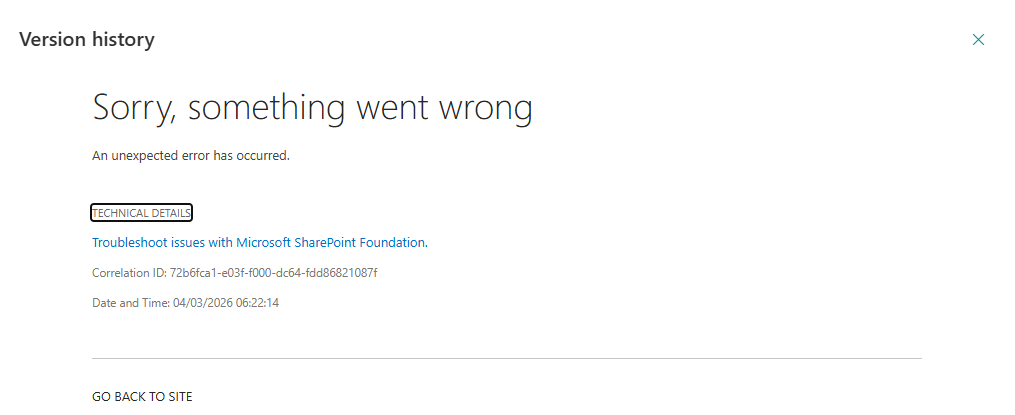
Version history error thrown