Update a SharePoint Library Title and Description with Power Automate
Overview
Use Power Automate to update a SharePoint library or list title and description by calling the SharePoint REST API. This is useful when you want to automate metadata updates or rename a library from a flow.
Prerequisites
- A Power Automate cloud flow with access to the target SharePoint site
- A SharePoint library or list title to update
- The
Send an HTTP request to SharePointaction
Configure the SharePoint REST action
In the Send an HTTP request to SharePoint action:
- Method:
PATCH - Site Address:
<SiteUrl> - Uri:
/ _api/web/lists/getByTitle('ListName')
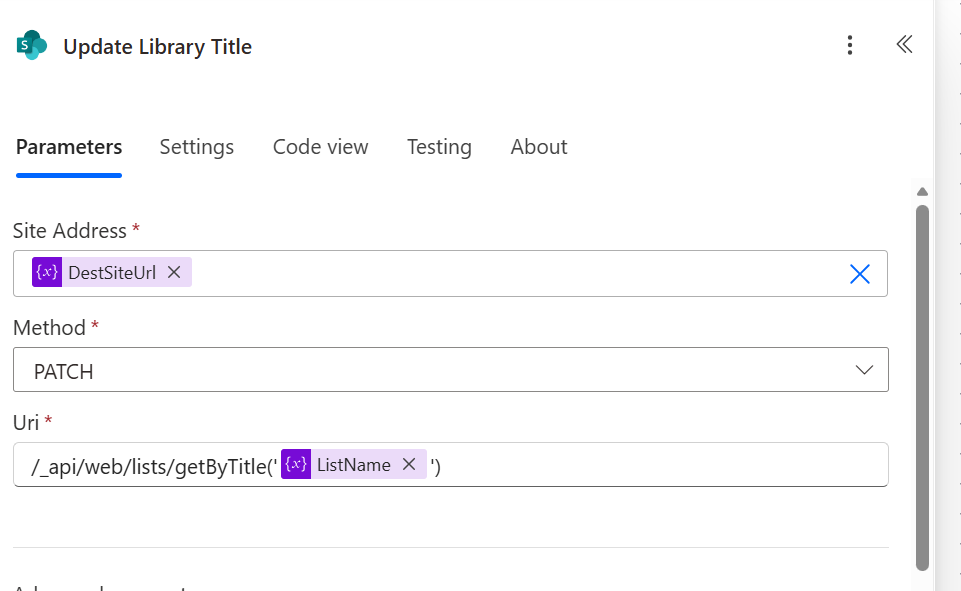
If you use a Power Automate variable for the list title, build the URI with an expression:
/_api/web/lists/getByTitle('@{variables('ListName')}')
Or use concat() to inject the variable safely:
concat('/_api/web/lists/getByTitle(''', variables('ListName'), ''')')
Required headers
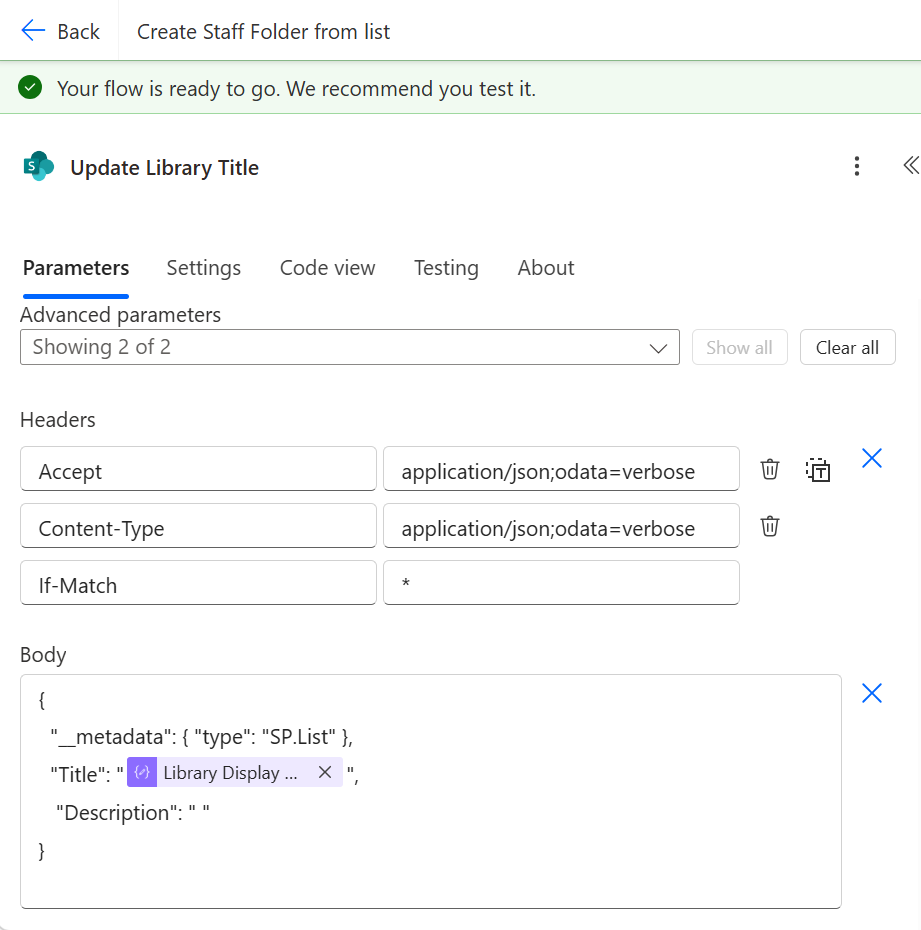
Use these request headers:
Accept: application/json;odata=verbose
Content-Type: application/json;odata=verbose
If-Match: *
If-Match: * is required when updating list metadata. Without it, SharePoint may return an error such as:
The request ETag value ’’ does not match the object’s ETag value ‘“66”’.
Request body
{
  "__metadata": { "type": "SP.List" },
  "Title": "@{outputs('Library_Display_Name')}",
  "Description": " "
}
Titleis the new display name for the library or list.Descriptionis the new description text.- If you only need to update the title, you can keep
Descriptionas an empty string or supply a new value.
Notes
- This call updates list metadata only; it does not move files or change internal list IDs.
- Ensure the list title passed to
getByTitle()matches the existing library/list title exactly. - Use expressions to handle titles with quotes or special characters.